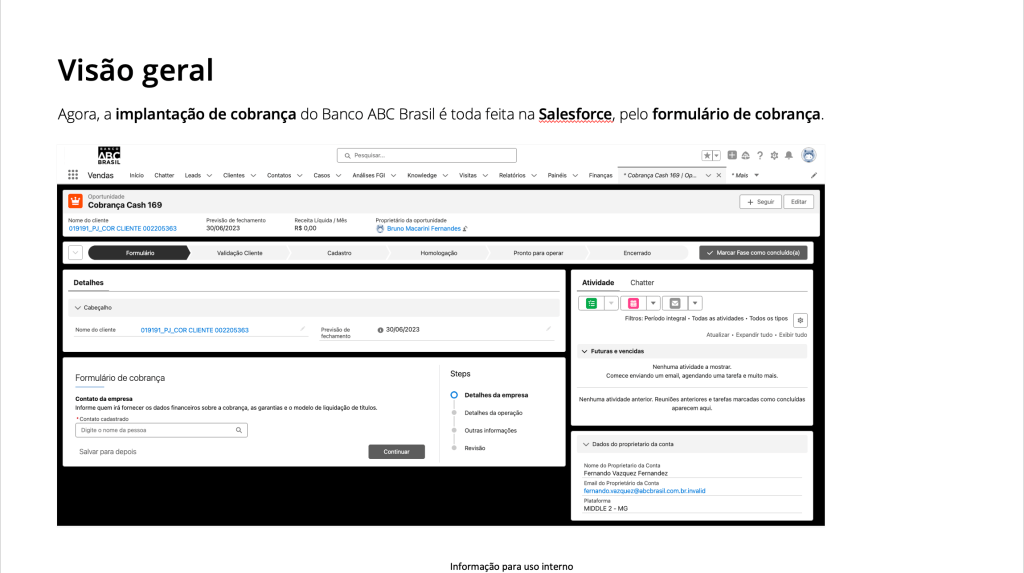
Challenge
The billing form was a novelty for professionals in the field. We identified the need to explain some processes that could be carried out within the platform, such as:
- How to open a billing opportunity?
- How to change the billing type?
- How to register a contact?
- How to create a case to alter information?
- How to change the invoice issuance from bank to payer?
- How to request the opening of a checking account through customer service?
- What is and how to change the PCD?
- How to change fees?
Solution
We created two types of materials to explain and guide the use:
- User manual: contains more comprehensive information about the billing implementation process and can be downloaded if the professional wants to read it more carefully.
- Articles: straight-to-the-point content in a “How-to” style explaining the steps of each functionality.
User manual
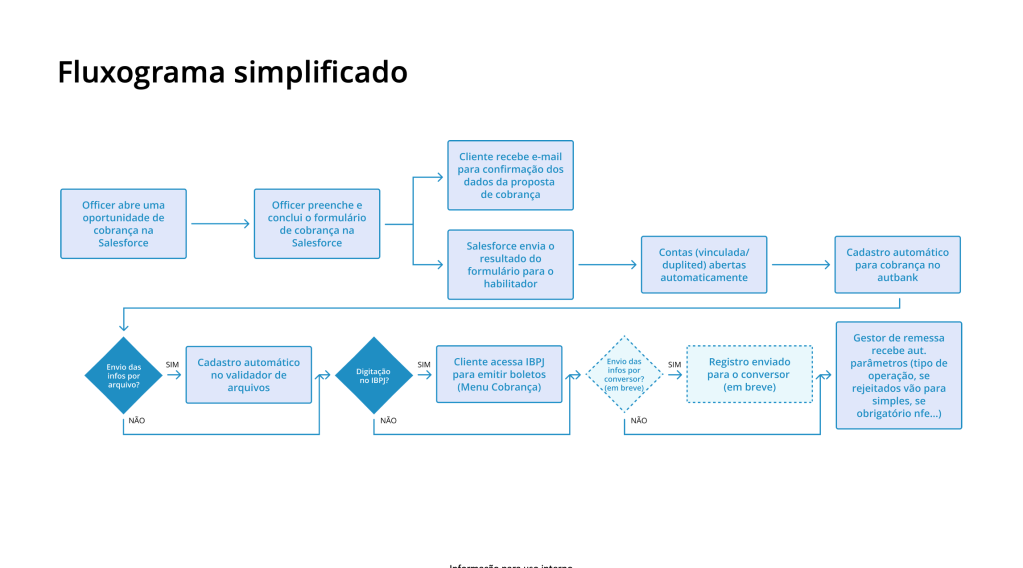
Simplified flowchart
Mapping all stages of the billing implementation so that professionals have a holistic view of the process.

Checklist
A list containing all the information professionals need to obtain from the client to fill out the billing form.

Key points
Informations about the billing implementation process and the form, with links to the articles.
Some examples:
“It’s not possible to create more than one billing opportunity with the same purpose”;
“To create a billing opportunity, the company needs to have an open checking account with ABC Brasil”.
articles

Important informations
Details that professionals need to know about the registration form before starting the process.
In the image:
“It’s not possible to create more than one billing opportunity with the same purpose”;
“If the customer already has a registered settlement type, the following screen will appear”;
“To register an opportunity with another settlement type, proceed with the form using the same layout”
“For any changes to the registered operation, please contact Billing Support”.
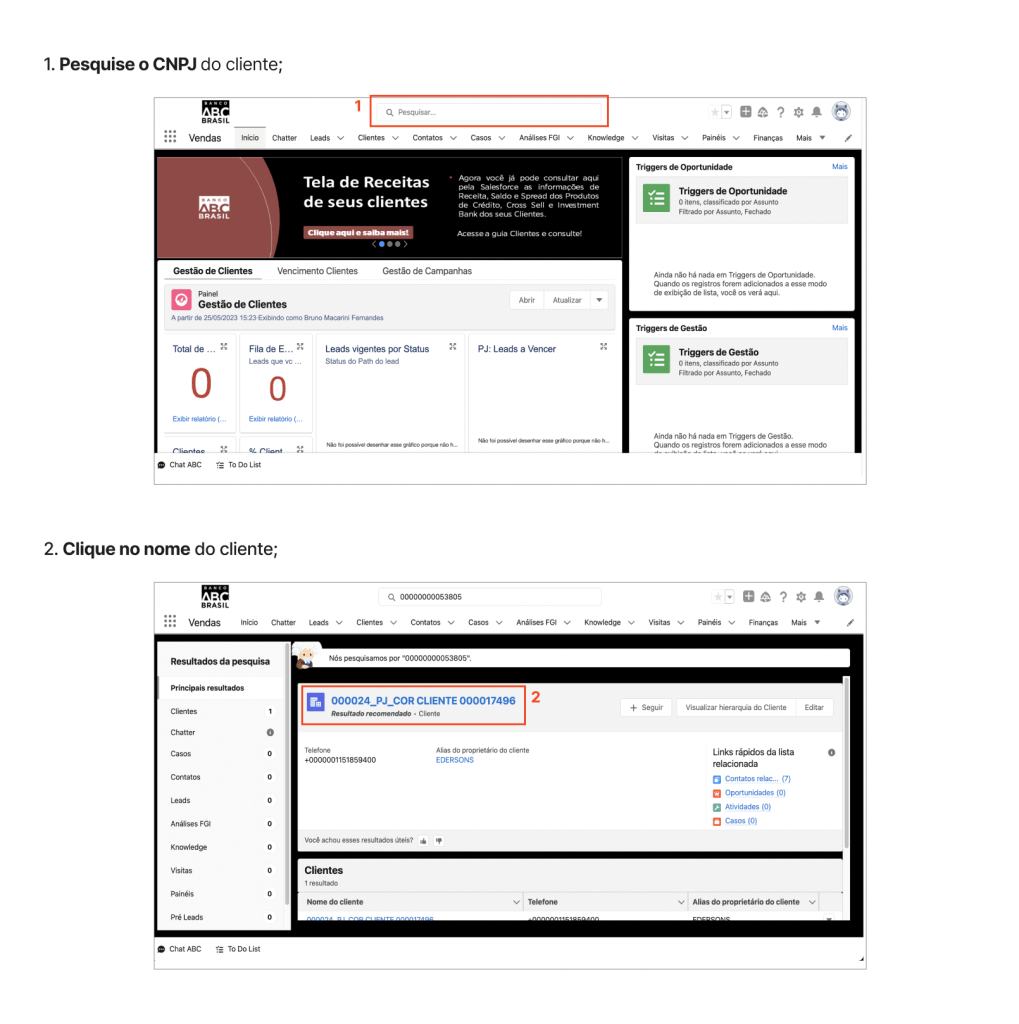
Steps
A list providing guidance on what professionals should do to progress in the billing implementation process.
In the image:
“Search for the customer’s CNPJ”;
“Click on the customer’s name”.
Benefits
- Autonomy: professionals do not need to contact another person if they have doubts about processes;
- Reduction in form completion time: explanations about processes are just a few clicks away.
Problem
The articles are located within an area in Salesforce called Knowledge, which interrupted the professional’s experience in the billing form. Check out the solution in “Contextual help“.
 Bruno Fernandes